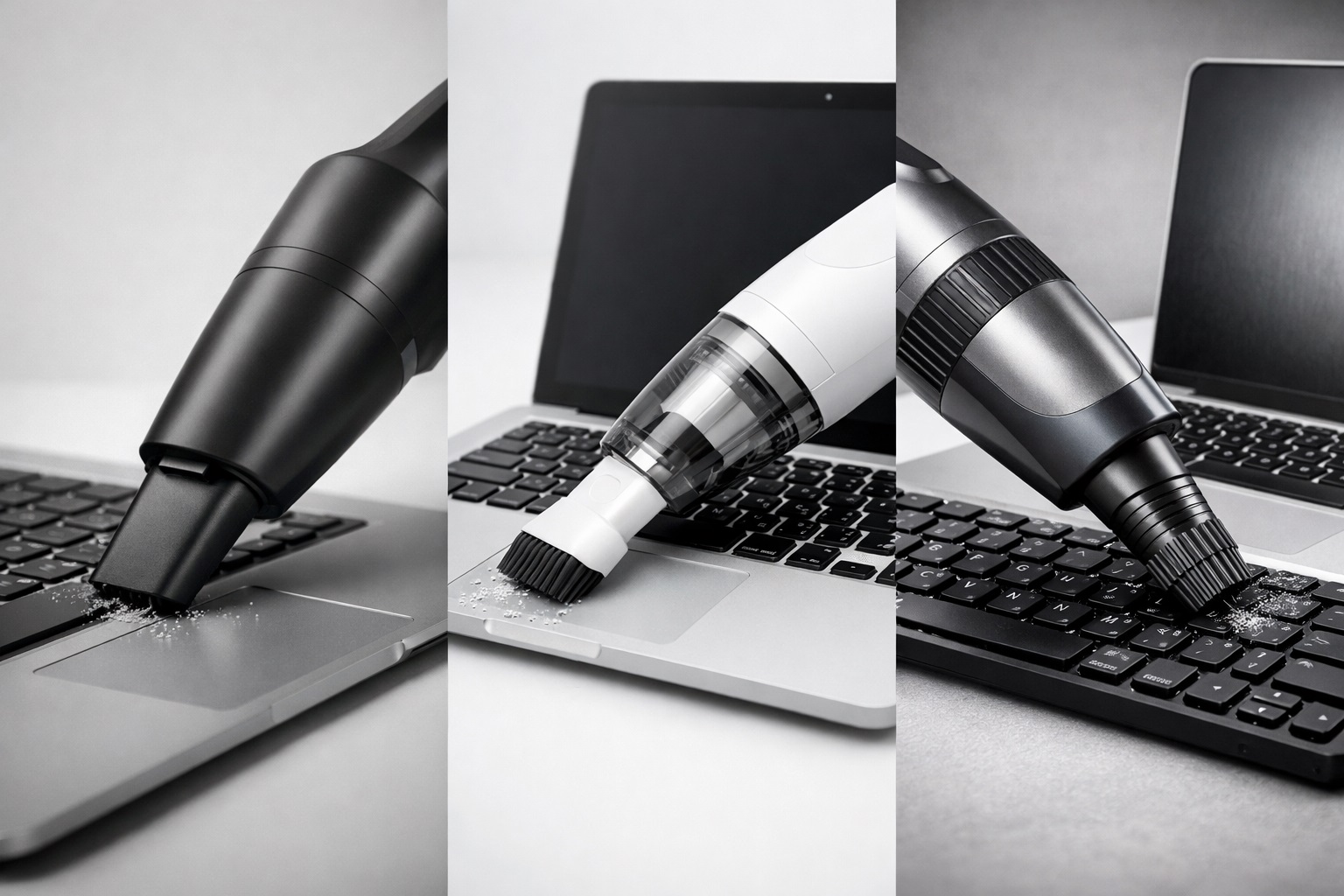
Keyboards and laptops are essential tools for work, travel, and daily life. However, they are also magnets for dust, crumbs, pet hair, and bacteria. While compressed air is often recommended, it is not always available, environmentally friendly, or safe for delicate electronics.
This article provides a safe, effective, and professional approach to cleaning keyboards and laptops without compressed air, using modern portable vacuum solutions and practical techniques trusted by users and professionals worldwide.
1. Why Avoid Compressed Air for Keyboard Cleaning? ⚠️
Compressed air can be convenient, but it has several drawbacks:
It may push debris deeper into the keyboard
Strong pressure can damage delicate components
Aerosol cans are not travel-friendly
Environmental concerns due to disposable canisters
For frequent travelers, office environments, and apartment users, safer alternatives are increasingly preferred.
2. The Role of Portable Vacuum Cleaners in Device Cleaning 🧹
A Portable Quiet Vacuum Cleaner is one of the safest tools for cleaning electronics. Unlike compressed air, it removes debris instead of redistributing it.
Recommended features include:
Low-noise operation for office use
Controlled suction suitable for electronics
Compact size for desks and travel
A Li-ion Cordless Handheld Vacuum Cleaner offers flexibility and eliminates cable clutter, making it ideal for laptops, keyboards, and even car interiors.
3. Step-by-Step Guide: Cleaning Your Keyboard Safely ⌨️✅
Step 1: Power Off and Disconnect
Always turn off your laptop or unplug your keyboard before cleaning.
Step 2: Gentle Vacuuming
Use a Cordless Handheld Vacuum Cleaner with a soft brush nozzle. Lightly vacuum between keys to remove dust and crumbs.
A Quiet Vacuum Cleaner is especially suitable for shared workspaces or late-night cleaning 🌙.
Step 3: Microfiber Wipe
After vacuuming, wipe the surface with a dry or slightly damp microfiber cloth to remove fingerprints and residue.
4. Cleaning Your Laptop Screen and Ports Without Risk 🖥️
Laptop ports often collect dust that affects connectivity. A High Suction Vacuum Cleaner with controlled airflow can clean ports safely when used at a slight distance.
For screens:
This approach minimizes static electricity and physical damage.
5. Travel & Office Use Case: One Tool, Multiple Functions 🌍
A global consulting firm equipped its staff with a Multi-Functional Durable Vacuum Cleaner for laptops, keyboards, and car interiors.
Results:
✔ Reduced device maintenance costs
✔ Improved hygiene in shared offices
✔ Positive feedback from frequent travelers
Because the same device functioned as a Car Vacuum Cleaner and a Portable Vacuum for Travel, it eliminated the need for compressed air cans entirely.
6. Quiet Cleaning for Night or Office Environments 🔇
For users working late hours, a Quiet Vacuum for Night Use prevents disturbance. Modern designs combine noise control with sufficient suction to lift fine dust without harming electronics.
This makes them ideal for:
Home offices
Apartments
Shared workspaces
7. Hygiene, HEPA Filtration & Allergy Concerns 🦠🌿
Dust trapped in keyboards can trigger allergies. Using a HEPA Filter Vacuum Cleaner helps capture fine particles instead of releasing them back into the air.
For sensitive users, this method supports cleaner air and safer device maintenance, aligning with the needs of those seeking a Vacuum Cleaner for Allergies.
8. Budget-Friendly & Energy-Saving Cleaning Solutions 💡💰
You don’t need expensive tools. Many users choose:
A Fast Lightweight Vacuum Cleaner with energy-efficient design offers strong performance while consuming minimal power—ideal for daily device care.
9. Manufacturer Perspective: Designed for Precision Cleaning 🏭
From an engineering standpoint, reliable electronics cleaning requires controlled suction and durability. Working with an experienced vacuums manufacturer or vacuum cleaner maker ensures products meet safety and usability standards.
Lanxstar focuses on compact, energy-saving vacuum designs suitable for electronics, travel, and multi-surface cleaning scenarios.
Conclusion: A Safer Way to Clean Your Devices 🌟
Cleaning your keyboard and laptop without compressed air is not only possible—it’s safer, cleaner, and more sustainable. By using a Cordless Vacuum Cleaner with controlled suction and quiet operation, users can protect their devices while maintaining hygiene and convenience.
👉 Learn more at www.lxvacuum.com
If you are interested, please feel free to contact us.
50 Related Keyword Groups
keyboard cleaning vacuum, laptop cleaning vacuum, portable quiet vacuum cleaner, cordless handheld vacuum cleaner, li-ion handheld vacuum, high suction vacuum cleaner, fast lightweight vacuum cleaner, energy-saving efficient powerful vacuum cleaner, portable vacuum for travel, quiet vacuum cleaner, quiet vacuum for night use, car vacuum cleaner, apartment vacuum cleaner, multi-functional durable vacuum cleaner, hepa filter vacuum cleaner, vacuum cleaner for allergies, vacuum for multi-surface, wet dry vacuum, wet and dry vacuum cleaner, cordless vacuum cleaner, best vacuum on a budget, best budget hoover, good budget vacuum, best affordable vacuum, best value for money hoover, best vacuum cleaners on a budget, good budget vacuum cleaner, compact cordless vacuum, smart portable vacuum, office cleaning vacuum, laptop keyboard cleaning tool, safe electronics cleaning vacuum, travel vacuum cleaner, desk vacuum solution, lanxstar vacuum, vacuums manufacturer, vacuum cleaner maker, oem vacuum cleaner, private label vacuum, global vacuum supplier, energy efficient cleaning device, quiet home vacuum, portable cleaning solution
Target Readers
Global electronics users & remote workers
IT maintenance teams & office managers
Frequent travelers & digital nomads
Vacuum cleaner buyers & distributors
Product managers & R&D engineers
Users seeking safe, quiet device cleaning
。