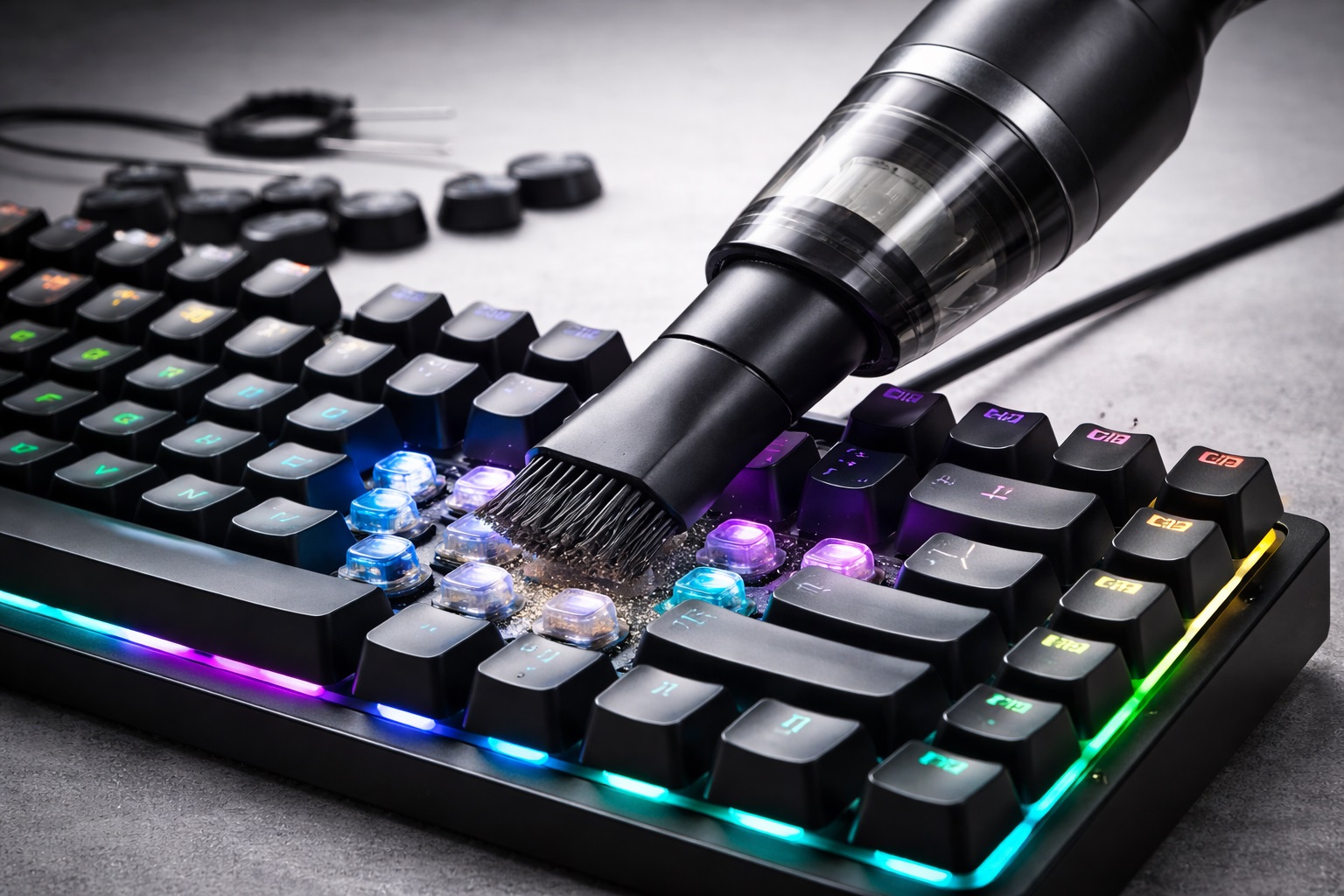
Mechanical and RGB keyboards are precision devices designed for performance, durability, and aesthetics. However, their open switch structures and keycap gaps make them highly susceptible to dust, crumbs, pet hair, and skin debris.
This article provides a professional, non-invasive cleaning guide to help users clean mechanical and RGB keyboards without damaging switches, lighting, or key legends, using safe vacuum-based solutions.
1. Why Mechanical & RGB Keyboards Require Special Care ⚠️
Unlike membrane keyboards, mechanical keyboards feature exposed switch housings. Common issues include:
Dust accumulation affecting key response
Debris blocking switch movement
Reduced RGB brightness due to dust diffusion
Hygiene concerns in shared environments
Improper cleaning tools can scratch keycaps or damage internal components.
2. Why Avoid Compressed Air for Keyboard Cleaning 💨❌
Compressed air is widely used but not ideal for high-end keyboards:
Blows debris deeper into switch housings
Causes moisture condensation
Difficult to control airflow direction
Inefficient for long-term maintenance
Many professionals now prefer controlled-suction cleaning instead.
3. Why Vacuum Cleaning Is the Safer Alternative 🧹
A Portable Quiet Vacuum Cleaner removes debris instead of redistributing it.
Key advantages include:
Controlled suction safe for switches
Reduced static electricity risk
No physical contact with delicate components
A Cordless Vacuum Cleaner provides flexibility and precision when cleaning between keys and around stabilizers.
4. Choosing the Right Vacuum for Keyboard Cleaning 🔍
The ideal vacuum for keyboards should be:
A Li-ion Cordless Handheld Vacuum Cleaner is widely used for keyboards, laptops, and desk setups. Many users prefer models that double as a Portable Vacuum for Travel.
5. Step-by-Step: Cleaning Mechanical & RGB Keyboards Safely ✅
Step 1: Power Off and Disconnect
Unplug the keyboard or turn off wireless power.
Step 2: Gentle Vacuuming
Use a Cordless Handheld Vacuum Cleaner and hover it above the keycaps, allowing suction to lift dust from gaps.
A Quiet Vacuum Cleaner is ideal for shared offices or late-night cleaning 🌙.
Step 3: Keycap Surface Cleaning
Lightly wipe keycaps with a microfiber cloth. Avoid liquids near switches.
6. Maintaining RGB Brightness & Visual Quality 🌈
Dust buildup can diffuse LED light and reduce RGB clarity. Regular vacuuming keeps:
This method avoids disassembly, protecting switch alignment and stabilizer balance.
7. Hygiene, Allergies & Shared Workspaces 🦠🏢
Keyboards are high-contact surfaces. A HEPA Filter Vacuum Cleaner helps capture fine dust and allergens.
For allergy-sensitive users, a Vacuum Cleaner for Allergies supports cleaner workspaces, especially in offices and co-working environments.
8. Budget-Friendly Cleaning Solutions for Users & Offices 💰✔️
Effective keyboard maintenance doesn’t require premium tools. Many users choose:
A Fast Lightweight Vacuum Cleaner offers excellent performance with minimal energy consumption.
9. Real Use Case: Gaming Studio & Office Setup 📊
A gaming content studio implemented routine keyboard cleaning using Multi-Functional Durable Vacuum Cleaners.
Results:
✔ Improved keyboard lifespan
✔ Reduced switch failure complaints
✔ Better hygiene in shared setups
The same device was also used for laptops and consoles, increasing ROI.
10. Manufacturer & Engineering Perspective 🏭
From an engineering standpoint, keyboard cleaning requires precision and stability. Working with an experienced vacuums manufacturer or vacuum cleaner maker ensures safe suction control and durable design.
Lanxstar develops compact vacuum solutions tailored for keyboards, electronics, and desktop environments.
Target Readers
Mechanical & RGB keyboard users
Gamers & streamers
Office & co-working space managers
IT maintenance teams
Vacuum cleaner buyers & distributors
Product managers & R&D engineers
Conclusion: Clean Keyboards, Better Performance 🌟
Cleaning mechanical and RGB keyboards doesn’t require risky disassembly or compressed air. With a Cordless Vacuum Cleaner and controlled suction, users can maintain performance, hygiene, and visual quality safely and efficiently.
👉 Learn more at www.lxvacuum.com
If you are interested, please feel free to contact us.
50 Related Keyword Groups
mechanical keyboard cleaning, rgb keyboard cleaning, keyboard vacuum cleaner, cordless handheld vacuum cleaner, portable quiet vacuum cleaner, high suction vacuum cleaner, fast lightweight vacuum cleaner, energy-saving efficient powerful vacuum cleaner, multi-functional durable vacuum cleaner, vacuum for multi-surface, quiet vacuum cleaner, quiet vacuum for night use, portable vacuum for travel, apartment vacuum cleaner, hepa filter vacuum cleaner, vacuum cleaner for allergies, cordless vacuum cleaner, best vacuum on a budget, best budget hoover, good budget vacuum, best affordable vacuum, best value for money hoover, best vacuum cleaners on a budget, good budget vacuum cleaner, desk cleaning vacuum, office electronics cleaning, safe keyboard cleaning tool, lanxstar vacuum, vacuums manufacturer, vacuum cleaner maker, oem vacuum cleaner, private label vacuum, global vacuum supplier, lightweight home vacuum, efficient cleaning device, quiet home vacuum, budget electronics cleaning solution, gaming desk cleaning, keyboard maintenance solution, dust removal for keyboards